Avatar Maker Dress up for kids
- 3.3
- Rating
- 50.00M
- Installs
- Free
- Price

 Analysis by App-foxy
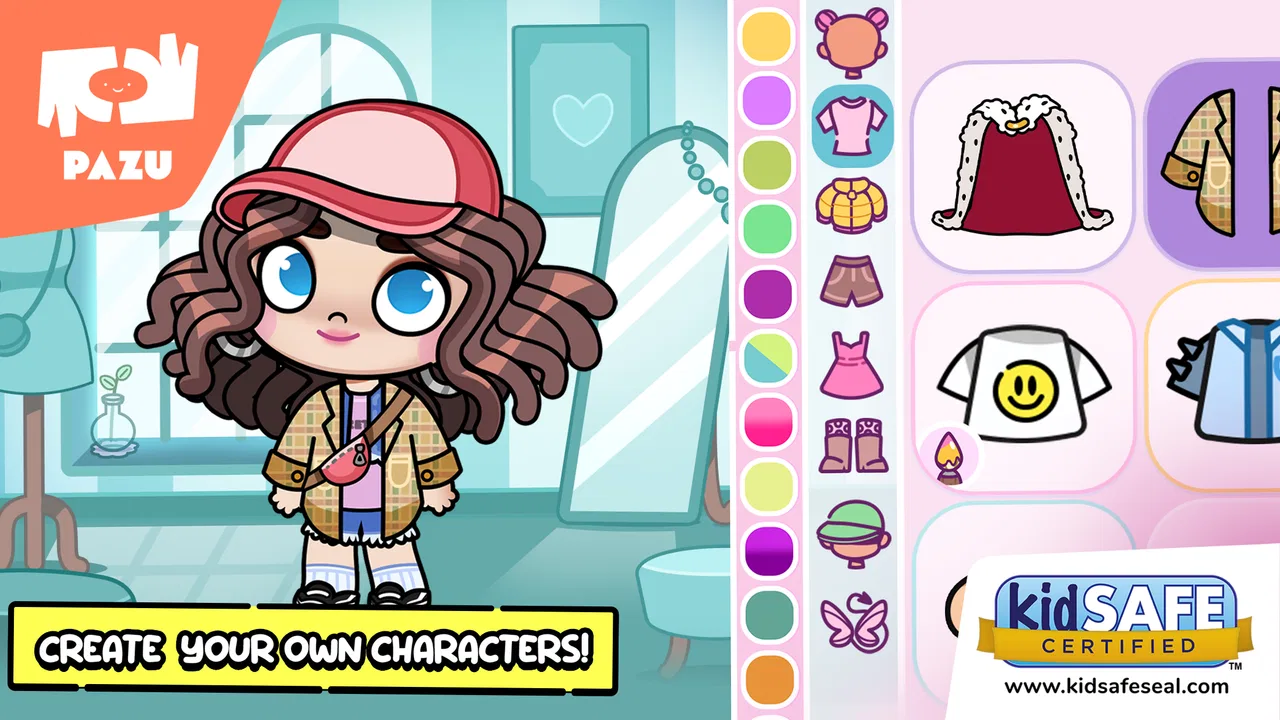
I spent time with Avatar Maker Dress up for kids as a light, creative game rather than a traditional lesson-based app. Its basic idea is easy to understand: children create an avatar, dress it up, and use that character as the starting point for simple stories and scenes. That makes it more open-ended than a quiz game, but also less structured. A child who enjoys choosing outfits and inventing characters can settle into it quickly, while a child looking for clear goals, levels, or a strong sense of progress may lose interest.
The game comes from Pazu Games and sits in the educational category, although I would describe its learning value as creative and social rather than academic. It encourages choices, visual storytelling, and imaginative play. The app is free to start, is rated for Everyone, and runs on Android devices using version 6.0 or later. Its current version is 1.12, so I looked at it as a product that has already had time to mature rather than as a brand-new experiment.
How the current experience feels for children
The first thing I noticed is that the avatar is not just a decorative profile picture. It acts as a small anchor for play. Once a child has decided how the character should look, it becomes easier to imagine where that character is going, what it might be doing, and which other characters belong in the same story. That simple connection between appearance and storytelling is the strongest part of the experience.
You May Also Like

 Blood Strike: 2.5 Anniversary
Blood Strike’s Loadouts Turn Every Drop Into a Tactical Gamble
A close look at Blood Strike’s custom loadouts: how fast access to signature weapons reshapes its battle royale rhythm, rewards preparation, and narrows the gap between fights.

 Pandora - Music & Podcasts
Pandora’s Music Is Easy to Start, but Harder to Recover
Pandora’s strength is its low-effort path from a seed to a station. Its weak spot is how much confidence it asks you to place in connection, setup, and quiet recovery.

 8 Ball Pool
 Is Built on Rivalries, Rematches, and Routine
A close look at the rivalries, rematches, shared routines, and unanswered safety questions that turn a quick pool match into a persistent mobile community.

 Samsung Music
’s Quiet Strength Is Playing What You Already Own
Its reach comes less from spectacle than from dependable access to a personal library. That simplicity is both the app’s strongest retention engine and its ceiling.

 AccuWeather: Weather Radar
AccuWeather Review: A Quick, Clear Forecast for Everyday Decisions
For everyday plans, the best forecast is the one you can understand quickly. AccuWeather makes rain timing, radar, and local conditions easy to act on, with a few trade-offs.

 Hill Climb Racing
Why Hill Climb Racing Still Turns Crashes Into One More Run
A tiny car, a bumpy hill and one more upgrade: Hill Climb Racing keeps resurfacing because its simple chaos makes every near-miss feel personal.
More From Our News Desk
View All News


The controls are designed for young users, so the appeal comes from tapping, browsing, and making visual decisions instead of reading long instructions. I found that helpful for children who want to play independently but still need an interface that does not feel like a complicated design tool. The game also works well when an adult sits nearby and asks questions such as, “Where is your character going?” or “Why did you choose that outfit?” Those prompts turn dressing up into a conversation instead of a silent customization activity.
It is important to set expectations correctly. This is not a full animation studio, a role-playing game with deep rules, or a classroom curriculum disguised as play. The educational label makes sense when the app is used to encourage storytelling and decision-making, but parents should not expect reading exercises, mathematics practice, or a planned sequence of lessons. Its value depends heavily on what the child does with the creative space.
A useful everyday play session
A realistic use case is a short after-school activity. A child can choose an avatar, create a character for a familiar situation, and then build a small story around it: getting ready for a rainy day, visiting a friend, or preparing for a celebration. I like this kind of prompt because it gives the child a starting point without taking control away. The adult can suggest the situation, while the child decides how the avatar looks and what happens next.
Another practical routine is to use the app as a quiet transition between activities. Ten or fifteen minutes of character creation can be more purposeful than endlessly switching between unrelated videos, especially if the child is encouraged to explain the choices afterward. The game is at its best when it becomes a launchpad for talking, drawing, or acting out a scene away from the screen.
One less obvious strength is that avatar design can help a shy child participate in storytelling indirectly. Talking about “my character” can feel easier than talking about personal feelings or experiences. I would not treat the game as a therapeutic tool, but it can provide a comfortable fictional distance for a child who does not immediately want to perform or speak as themselves.
Why the avatar creator matters
Many children’s games offer customization as a reward or a side activity. Here, customization is the main reason to return. The child is not simply trying to win a round and then moving on. The character itself becomes something to revisit, adjust, and place into a new imaginary situation. That gives the app a calmer rhythm than games built around competition or timed challenges.
The trade-off is that the experience can feel repetitive if the child does not invent new stories. Changing an outfit is enjoyable for a while, but customization alone may not provide enough variety for every child. I found the app more satisfying when I treated the avatar as a character with a purpose rather than as a mannequin for endless clothing changes.
A good workflow is to create one character first and keep its identity consistent for a day. Give it a name, a simple personality, and a small problem to solve. On the next session, change only one element, such as the clothing or setting, and ask how that changes the story. This makes each design choice feel meaningful and avoids the “tap through everything once” pattern that can make dress-up apps feel shallow.
What has changed and what version 1.12 means in practice
The app was released on January 5, 2022, and the current version is 1.12. Those details suggest an established product with ongoing maintenance rather than a first release. In practical terms, I would approach the current build as the version to judge today, not as a promise of a future redesign. The important question is whether the present creative loop works for your child, because the version number by itself does not guarantee a major change in content or structure.
I also think it is useful to separate confirmed product facts from expectations. A newer version can indicate that the developer, Pazu Games, has continued working on the app, but I would not assume that every update transforms the game or adds the exact feature a child wants. If you are considering it for a particular need, such as more story depth or a wider range of creative activities, judge the current experience directly rather than installing it based on hopes about future updates.
For existing users, a maintained version is reassuring because it gives families a clear current build to use. At the same time, the core concept remains focused: avatar creation and imaginative play. I would not expect it to suddenly become a conventional educational course. Its evolution is better understood as refinement around a creative idea than as a change of genre.
The game has reached over ten million installs and carries an average rating of 3.0 from around one hundred seventeen thousand ratings. That combination tells me the app has broad visibility but also mixed user satisfaction. I would take the popularity as evidence that the concept is easy for families to understand, not as proof that it will suit every child. A large audience can include very different expectations, especially when some people want a simple dress-up toy and others expect a deep game.
Where it compares well with familiar alternatives
Compared with a standard dress-up app, this game has a clearer reason to move from appearance into storytelling. That makes it a better choice for a child who likes inventing characters, not just collecting looks. Compared with a level-based educational game, it offers more freedom but much less measurable progress. There is no need to solve a sequence of exercises, so it can feel relaxing, but parents who want visible skill practice may prefer a dedicated learning app.
Compared with open-ended sandbox games, it is easier to introduce to a younger child because the creative task is narrower. A large sandbox can be exciting but overwhelming; an avatar-focused game gives the child a manageable starting point. The downside is that it cannot compete with a broad sandbox for building complexity, exploration, or long-term systems. I would choose this app for a short creative session, not as a replacement for a child’s entire game library.
It also differs from social avatar platforms because the appeal is private imaginative play rather than interaction with a large online community. That can make the experience feel more contained for families who want a simple creative activity. However, it also means the child may need an adult, sibling, or friend to supply the conversation and story ideas if the built-in activity does not provide enough direction.
The main friction: free access and paid content
The game is free, but in-app purchases range from $6.49 to $59.99 per item. That is the point I would discuss with a parent before handing over the device. A free download does not necessarily mean every creative option is available without payment, and the upper end of that purchase range is substantial. I would review the purchase settings first and decide whether the child should be allowed to request additions during play.
This matters especially because customization naturally encourages “just one more” choices. A child may see a preferred outfit or creative option and view it as part of the basic experience, while an adult sees it as an optional purchase. The safest routine is to establish the rule before play begins: use only the free content, ask first, or allow purchases only with an adult present. That conversation is more effective than trying to explain the boundary after a purchase request appears.
The paid model also changes who will enjoy the app most. Families comfortable with paying for extra content may find the free starting point useful for testing the concept. Families seeking a completely open-ended free activity should be more cautious, because the child’s interest may grow faster than the no-cost portion of the experience.
Remaining gaps for parents and older children
The biggest limitation is the lack of a strong built-in structure. A child who needs missions, goals, or frequent rewards may ask what to do next after the initial avatar is complete. I would solve that by preparing prompts in advance, but not every family wants to become the activity director. If you prefer an app that explains the next task clearly, a structured educational game may be a better fit.
Older children may also find the concept too young after the novelty fades. The Everyone rating supports its broad accessibility, but accessibility is not the same as long-term depth. A child who already enjoys complex creation tools, detailed building games, or narrative role-playing may want more control than a focused avatar maker can offer.
There is also a difference between creative freedom and creative variety. The child can make choices, but those choices still depend on what the app presents. If your child is very particular about character design, the available options may not match every imagined idea. That is not a flaw unique to this game, but it is worth recognizing before treating it as a complete replacement for drawing, paper crafts, or a more advanced digital art tool.
Who should try it, and who should skip it
I would recommend trying it for a young child who enjoys costumes, character play, and making up small stories. It is especially suitable when the goal is a calm, screen-based creative activity that can lead into conversation. It can also work well for siblings who take turns designing a character and then decide together what happens in the story.
I would be less likely to recommend it to a child who needs explicit academic practice, competitive challenges, or a long progression system. It is also not my first choice for a child who becomes frustrated by locked or paid creative content. In that situation, a fully free drawing activity, a structured learning game, or a broader creation platform may provide a clearer match.
Parents should also consider how much supervision they want around purchases. The app itself is rated for Everyone, but the payment range means the household’s purchase controls still matter. I would install it only after deciding who controls spending and how the child will ask for extras.
What I would watch before making it a regular favorite
If I were checking whether the game deserves a permanent place on a child’s device, I would watch three things. First, does the child create stories after the avatar is dressed, or do they stop at changing clothes? Second, can they return to the character with a new idea on another day? Third, does the free experience remain enjoyable without constant requests for paid additions?
Those tests reveal more than a quick first impression. A child may enjoy the visual novelty for one session but have no reason to return. Another child may use the same avatar repeatedly and turn it into a surprisingly rich storytelling habit. The difference is not necessarily the app alone; it depends on whether the child likes open-ended play and whether an adult provides occasional prompts.
I would also watch how updates affect the balance between simplicity and choice. Since version 1.12 is the current build, future changes should ideally keep the interface approachable while giving returning users fresh reasons to create. More content would be useful, but not if it makes the experience confusing for the younger audience that gives the game its strongest appeal.
My final take
Avatar Maker Dress up for kids is a pleasant creative game with a clear audience. I like it most as a starting point for imaginative play, especially when a parent or sibling turns the avatar into the first part of a story rather than the final product. Its focused design is easier to approach than a large sandbox, and its educational value comes from choosing, imagining, and explaining rather than from formal lessons.
Still, I would not call it universally engaging. The open-ended format can feel empty to children who want instructions, levels, or stronger rewards, and the in-app purchase range deserves attention before a child plays alone. The average rating of 3.0 is a useful reminder to keep expectations balanced: the concept is appealing, but the execution will not satisfy every family.
My recommendation is to try the free version with a simple story prompt and observe what your child actually does. If they enjoy returning to the same character, changing its role, and explaining the choices, the game can become a useful little storytelling space. If they only tap through outfits once or quickly ask for paid additions, I would move on to a more structured or more generously open creative alternative. Its real strength is not endless dressing up; it is giving a child a friendly character to think with.
FAQs for Avatar Maker Dress up for kids
01What features does Avatar Maker Dress Up for Kids offer?
Avatar Maker Dress Up for Kids provides a variety of features, including an extensive selection of clothing, accessories, and hairstyles. Children can customize their avatars with vibrant colors and patterns, fostering creativity and self-expression. The app also offers a user-friendly interface, making it easy for kids to navigate and design their unique characters.
02Is Avatar Maker Dress Up for Kids safe for children to use?
Yes, Avatar Maker Dress Up for Kids is designed with child safety in mind. It contains no in-app purchases or ads that might lead to unwanted content. Additionally, the app has parental controls to ensure a safe and secure environment for children to explore their creativity without distractions.
03Can my child save and share their creations from the app?
Absolutely! The app allows children to save their avatar creations directly to the device. They can also share their designs with friends and family through social media or messaging apps, encouraging interaction and showcasing their creativity in a fun and engaging way.
04Is the app available for both Android and iOS devices?
Yes, Avatar Maker Dress Up for Kids is available for download on both Android and iOS platforms. Users can find the app on the Google Play Store for Android devices and the Apple App Store for iOS devices, ensuring accessibility for a wide range of users.
05Does the app require an internet connection to function?
No, Avatar Maker Dress Up for Kids does not require an internet connection for most of its features. Once downloaded, children can enjoy creating and customizing avatars offline. However, an internet connection may be needed to access certain sharing features or updates.
Pros
- User-friendly interface for all ages.
- Extensive wardrobe options available.
- Allows for creativity and expression.
- No ads to interrupt gameplay.
- Frequent updates with new content.
Cons
- Limited free features without purchase.
- Graphics are simplistic and basic.
- Requires internet for some features.
- Occasional app crashes reported.
- In-app purchases can add up.

Avatar Maker Dress up for kids
Gallery